Cloudflare Tools
A KirbyCMS plugin
Donation
Many websites use Cloudflare, a service that sits in front of a site to make it load faster and protect it from attacks. Normally, managing it means logging into a separate Cloudflare dashboard. Editors can do day-to-day tasks without leaving the Panel, and administrators get one place to look after the site's speed, security and settings. It works with Cloudflare's free plan.
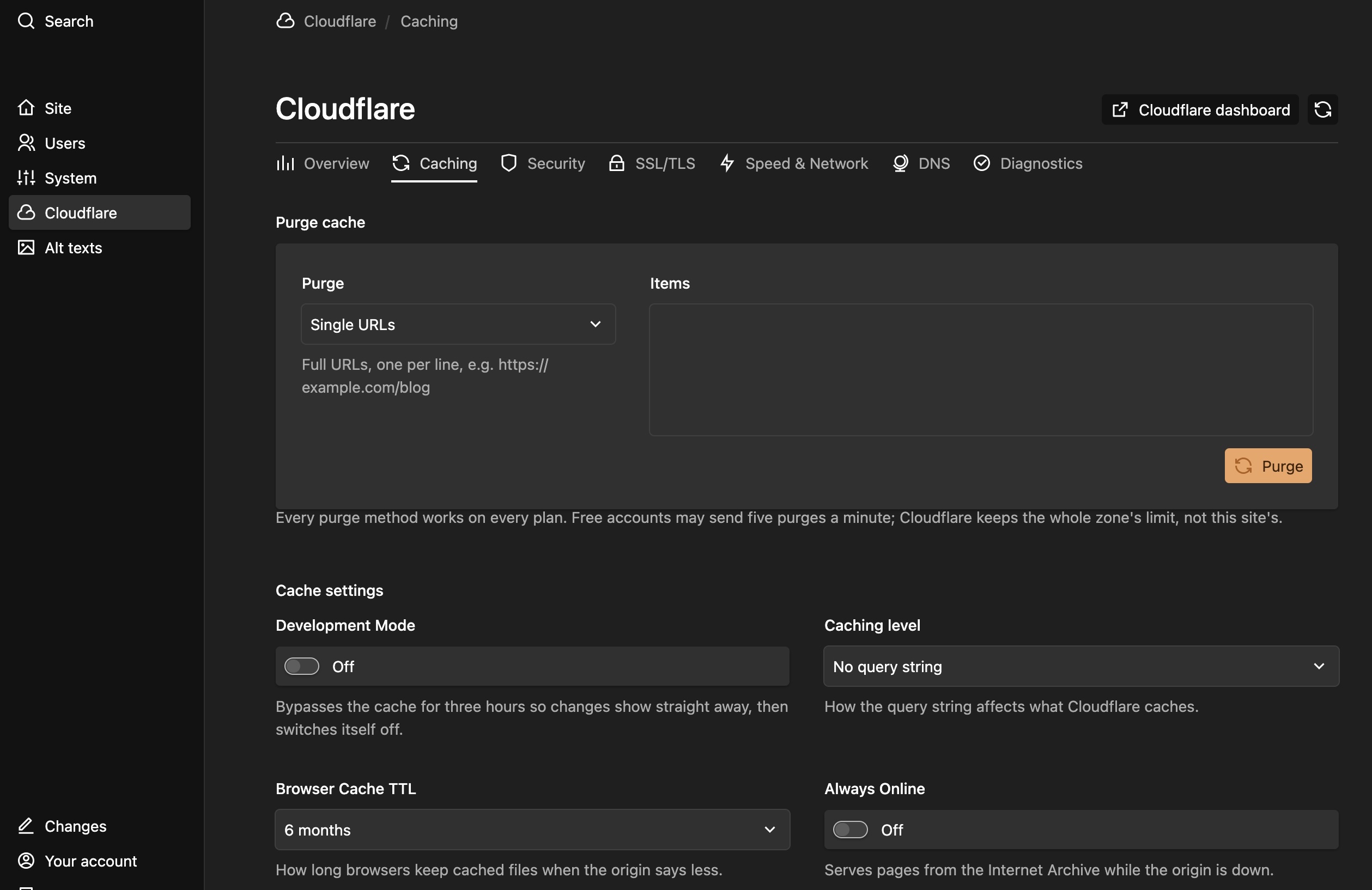
Clearing the cache. Cloudflare keeps copies of your pages so they load quickly, but that can mean visitors keep seeing an old version after you edit something. The plugin adds a "Purge" button to every page so the new version shows up right away. It can also clear pages automatically whenever you save.
Traffic at a glance. Simple charts show visitor numbers, page views, where visitors come from and how many threats were blocked. You get a quick picture of the site's health without needing a separate analytics tool.
Emergency security switches. If the site is under attack, one click turns on "I'm Under Attack" mode. You can also block bad bots and AI scrapers, and block or allow particular IP addresses or countries.
Settings in one place. Administrators can change speed, security and HTTPS settings from inside the Panel. The plugin also shows when the site's security certificate expires and lists the domain's DNS records, which are the settings that point the domain to the right places.
Sensible permissions. By default, editors can clear the cache and view traffic, while the riskier controls are limited to administrators. Each site can change who gets which controls.
Secure by design. The Cloudflare access key stays on the server and never reaches the browser. The plugin's setup guide also shows how to keep that key out of the public part of the site.
Built-in health check. A "Diagnostics" tab tests whether everything is connected and working, which makes problems easy to spot.
Room to grow. Developers can run the same tools from the command line, use them in their own code, and add more Cloudflare features over time.
Step 1.
Install with composer.
"composer require ianhobbs/kirby-cloudflare-tools"
Step 2.
Add your Cloudflare API keys and Your Zone ID as documented in the git repository. See GIT REPO
Step 3.
Purchase a license by Donation or Free.
Add the license key to your installation.
14 day full refunds available.
V1.0.1 is current with a new release planned for Kirby 6
A KirbyCMS plugin